
Rosetta Stone Classic (2024)
Rosetta Stone LtdEducation
4.658.44K Reviews
- Version
- 9.2.0
- Installs
- 10.00M
- Age Rating
- Everyone
Screenshots


Our Review of Rosetta Stone Classic (2024)
 Analysis by Appyee
When I think about what makes a language app useful, I come back to one question: does it help me connect a new word with something I can recognize and say? That is the central idea behind Rosetta Stone: Learn Languages. Rather than making grammar explanations the main event, it asks learners to work out meaning through pictures, spoken language, and repeated practice. I find that approach appealing when I want to build a habit without turning every short study session into a textbook lesson.
That focus also shapes who I would recommend it to. If you are starting from scratch, returning to a language after a long break, or hoping to get more comfortable hearing and repeating everyday speech, the format has a clear purpose. If your immediate goal is to discuss complex topics, understand fast conversation, or prepare for a grammar-heavy exam, I would treat it as one part of a wider plan rather than expect one app to cover everything.
Learning by connecting words to what you see
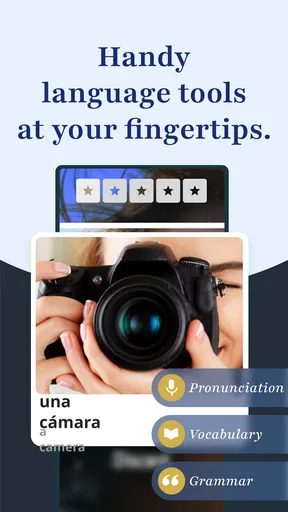
The method that stands out to me is Dynamic Immersion. You encounter language through images and audio, then use clues from the scene to work out what is being said. That can make vocabulary feel less like a list to memorize and more like a connection between a sound, a written form, and an idea. The trade-off is that guessing from context can be less direct than seeing a translation or a concise grammar explanation. Some learners will enjoy figuring things out; others may want a clearer explanation when a pattern keeps confusing them.
In practice, I would use this style as a way to train attention as much as recall. Before choosing an answer, take a moment to listen for the words you recognize and notice what the image contributes. When a lesson asks you to speak, say the phrase at a natural pace instead of rushing to satisfy the exercise. That small pause makes the activity more useful: the aim is not simply to tap through the screen, but to notice what you understood and what you still need to hear again.
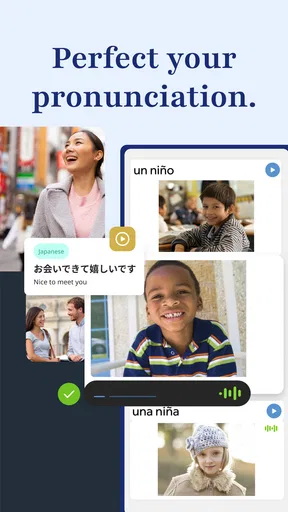
Speech recognition can make speaking practice feel less solitary, because you get a chance to say phrases aloud rather than only read them silently. I would still think of that feedback as a practice aid, not a substitute for a conversation partner. Repeating a prompt helps build familiarity with sounds, but it cannot recreate the give-and-take of a person responding unpredictably. For a beginner who feels self-conscious, though, rehearsing privately can be a comfortable first step toward speaking more often.
Making short study sessions count
The app’s picture-and-audio approach is well suited to a small, repeatable routine. I would rather complete a focused lesson during a quiet break than promise myself a long study session that never happens. A useful habit is to revisit a phrase you found difficult and try to say it before replaying the audio. That turns review into an active check of what stuck, instead of another passive pass through familiar material.
For example, imagine you are learning Spanish before a trip. You could fit a lesson into a calm part of the morning, then use the rest of the day to notice where you might apply a word or phrase in ordinary life. The app can help you rehearse language, but you still have to take the next step: saying a greeting to someone, reading a sign, or trying to order without immediately switching back to English. That distinction matters. A lesson can prepare you, but real interactions are where you discover what you can recall under pressure.
Offline lesson downloads are useful when you know connectivity may be unreliable. I would prepare them before leaving home rather than assume I can set everything up at the last minute. This is a practical advantage for a commute, a flight, or a trip through places with patchy service. It also changes how I would plan a routine: choose the lesson in advance, save it while connected, and use the offline time for focused practice instead of spending the session deciding what to study.
Choosing it alongside other learning tools
Compared with flashcard-focused study, Rosetta Stone puts more emphasis on working with language in context than reviewing isolated prompts. Flashcards can be a better fit if you mainly need to drill a set of terms quickly, while this app’s immersion style may suit you better if you want pictures, listening, and speaking to shape the practice. Neither format solves every learning need. I would choose based on the task in front of me rather than assume one method has to replace all the others.
It also differs from a traditional class or tutor. An app offers a convenient way to practise on your own schedule, while a teacher can explain why a construction works, respond to your particular questions, and keep a conversation moving. If I were struggling to understand a recurring grammar pattern, I would look for an explanation elsewhere instead of repeatedly guessing. If I mainly needed a low-pressure way to hear and say familiar phrases, the app would be a more natural starting point.
The phrasebook can be handy when travel gives you a clear reason to practise, but I would not rely on memorized lines as a complete travel plan. Rehearse a few useful expressions, then think about what you might need to ask when the other person responds differently from the example. That preparation makes the phrasebook more valuable: it gives you an opening, while curiosity and real listening help you manage the next turn.
Getting Started with Rosetta Stone
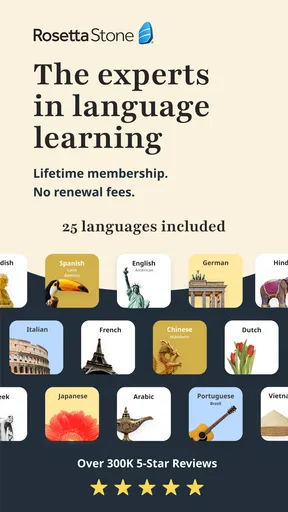
Setting up Rosetta Stone: Learn Languages is like a breeze. Once you download the app, you’re greeted with a clean interface that’s easy on the eyes. The app offers a wide array of languages, from Spanish and French to lesser-known ones like Swahili and Filipino. Choosing a language is as simple as picking your favorite ice cream flavor.
After you select your language, the app takes you through a placement test. It’s a neat little feature that ensures you start at the right level. Trust me, nobody wants to start with "Hello, my name is..." if they’re already able to hold basic conversations.
Immersive Learning Experience
Now, here’s where Rosetta Stone shines with its Dynamic Immersion method. Instead of overwhelming you with grammar rules and vocabulary lists, the app immerses you in the language through images and audio. It’s like being dropped in the middle of Madrid or Paris, forcing you to pick up words and phrases naturally.
The app incorporates a variety of exercises, from listening and speaking to reading and writing. The speech recognition technology is pretty impressive too! It’s like having a personal language coach in your pocket, gently nudging you to perfect your pronunciation.
Features That Stand Out
One feature I particularly love is the ability to download lessons for offline use. Whether you're on a plane or in the middle of nowhere with no Wi-Fi, you can still get your language fix. Road trips just got a lot more productive!
Another great feature is the phrasebook. It’s super handy for travelers who need to learn essential phrases quickly. Imagine landing in Tokyo and ordering sushi like a pro. The app’s got you covered!
Does It Meet Expectations?
With all these features, you might wonder if Rosetta Stone lives up to its reputation. In my experience, it does a fantastic job, especially for beginners. The focus on immersive learning is effective, and the app's intuitive design makes it easy to stick with it.
However, if you’re looking to achieve fluency, you might need supplemental resources. While Rosetta Stone lays a solid foundation, language learning is a journey, and sometimes you need more than one companion on that path.
It's also worth mentioning that the app comes with a subscription model. While there are free alternatives out there, Rosetta Stone’s quality justifies the price for many. But hey, there’s a 3-day free trial, so you can test the waters without any commitment.
Final Thoughts
So, is Rosetta Stone: Learn Languages the right app for you? If you’re a beginner or someone looking to refresh your language skills, it’s definitely worth checking out. The immersive method is engaging, and the app is designed to keep you motivated.
For those determined to become fluent, consider pairing it with other learning tools and real-world practice. Ultimately, language learning is about consistency and exposure, and Rosetta Stone provides a solid platform to build upon.
Ready to dive in? You can download the app from the App Store or Google Play and start your language adventure today. Happy learning!
What to expect from the cost and language choice
The app is free to download, but in-app purchases range from $0.99 to $299.99 per item, so I would check the purchase details in the app before committing to a longer learning plan. The free download is a low-friction way to see whether the teaching style suits you; it is not a reason to assume every lesson or course is free. I would judge the value by whether I actually return to the lessons and benefit from the practice, not by the size of the language catalog alone.
Rosetta Stone Ltd is the developer, and the app is rated for Everyone. It has an average rating of 4.6 from around 403,000 ratings, with more than 10 million installs. Those figures suggest it is a well-established choice, but they cannot tell you whether its immersion-based lessons match your own learning preferences. The current version is 8.35.0, and it requires iOS 11 or later.
Where I would draw the line
I would not choose this as my only tool if I needed detailed grammar instruction, extensive free-form conversation, or rapid preparation for a specific test. Its strength is structured exposure and practice, not replacing every kind of teaching. Learners who need frequent corrections tailored to their own writing may benefit more from a tutor or class; learners who want a quick, repeatable way to engage with listening and speaking may find this format easier to maintain.
My practical suggestion is to sample the learning style before building a schedule around it. Notice whether you can infer meaning from the images, whether speaking prompts make you more willing to practise aloud, and whether you can explain what a phrase means after the exercise rather than only recognize the right answer. If the process feels engaging, a short routine is more likely to last. If the pictures leave you guessing without understanding, pair the app with a resource that explains grammar and vocabulary directly.
Overall, I see Rosetta Stone as a useful, distinctive starting point for people who want language practice to feel visual and spoken rather than like a stack of translation cards. Its best results come when you use it consistently, prepare offline lessons when needed, and take phrases beyond the screen into real situations. I would recommend it to a beginner or returning learner who values guided immersion; I would steer someone seeking a complete route to fluency toward a broader mix of practice and instruction.
Verdict
Strengths of Rosetta Stone Classic (2024)
- Intuitive and user-friendly interface.
- Wide variety of languages available.
- Effective speech recognition feature.
- Offline mode for learning on the go.
- Structured lessons enhance retention.
Limitations of Rosetta Stone Classic (2024)
- Subscription can be expensive.
- Limited cultural context in lessons.
- Requires strong internet for some features.
- Some languages have fewer resources.
- No option for dialect variations.
Other Releases by Rosetta Stone Ltd
View All
Rosetta Stone Sapphire
Education4.5
Similar Picks in This Category
View All
Duolingo: Language Lessons
Duolingo4.7

Google Classroom
Google LLC2.8

Unacademy: Learn & Crack Exams
Unacademy3.2

Bible App for Kids
Life.Church4.4

Cake - Learn English & Korean
Cake Corp.4.7

Brainly: AI Homework Helper
Brainly4.5
Frequently Asked Questions
What languages can I learn with Rosetta Stone?
Rosetta Stone offers a wide range of languages for learners. You can choose from popular languages like Spanish, French, German, and Mandarin, as well as less commonly studied ones such as Swahili, Turkish, and Persian. The app provides a comprehensive list, ensuring that users have plenty of options to explore.
How effective is Rosetta Stone for language learning?
Rosetta Stone employs an immersive learning approach, focusing on visual and auditory cues to help users understand and speak a new language naturally. The app's effectiveness depends on consistent usage and practice. Many users report significant improvements in speaking and comprehension skills over time, thanks to its structured lessons.
Does Rosetta Stone require an internet connection?
While Rosetta Stone offers offline capabilities for on-the-go learning, an internet connection is needed for initial downloads and some features. Users are encouraged to download lessons in advance when planning to study without connectivity. This flexibility allows for uninterrupted learning even in areas with limited internet access.
Is Rosetta Stone suitable for beginners?
Yes, Rosetta Stone is designed to accommodate learners at all levels, including beginners. The app starts with foundational vocabulary and gradually progresses to more complex sentences and conversations. Its user-friendly interface and step-by-step lessons make it accessible for those new to language learning.
What subscription options does Rosetta Stone offer?
Rosetta Stone provides several subscription plans to cater to different learning needs. Users can choose from monthly, yearly, or lifetime access. Each plan grants access to all available languages, allowing learners to switch languages freely. Regular promotions and discounts may also be available, providing additional value.
